
Floor · Foot sensor, Touch, Mouse
Math Floor Game
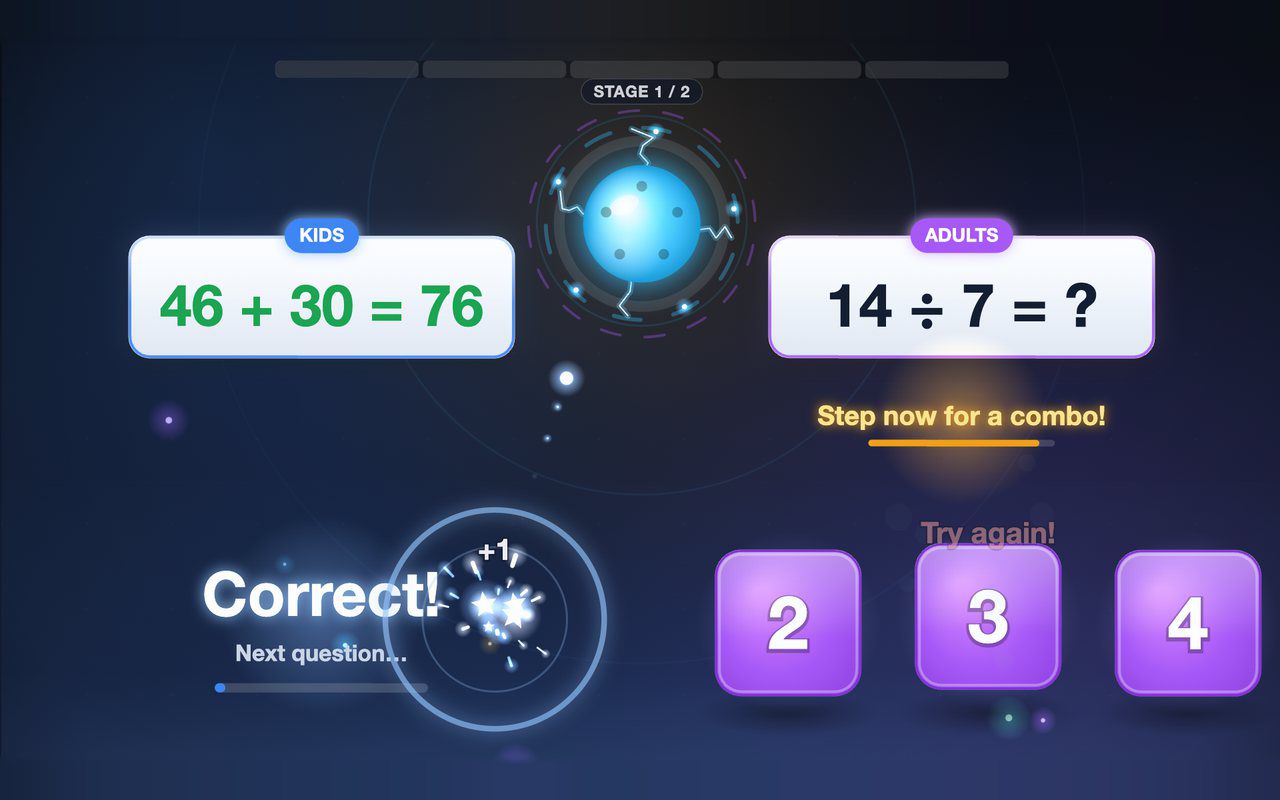
Kids and grown-ups each solve their own equation on the floor, and answering together earns a combo bonus — about a minute per game.
Free evaluation buildEnglish
Screen · Touch, Mouse
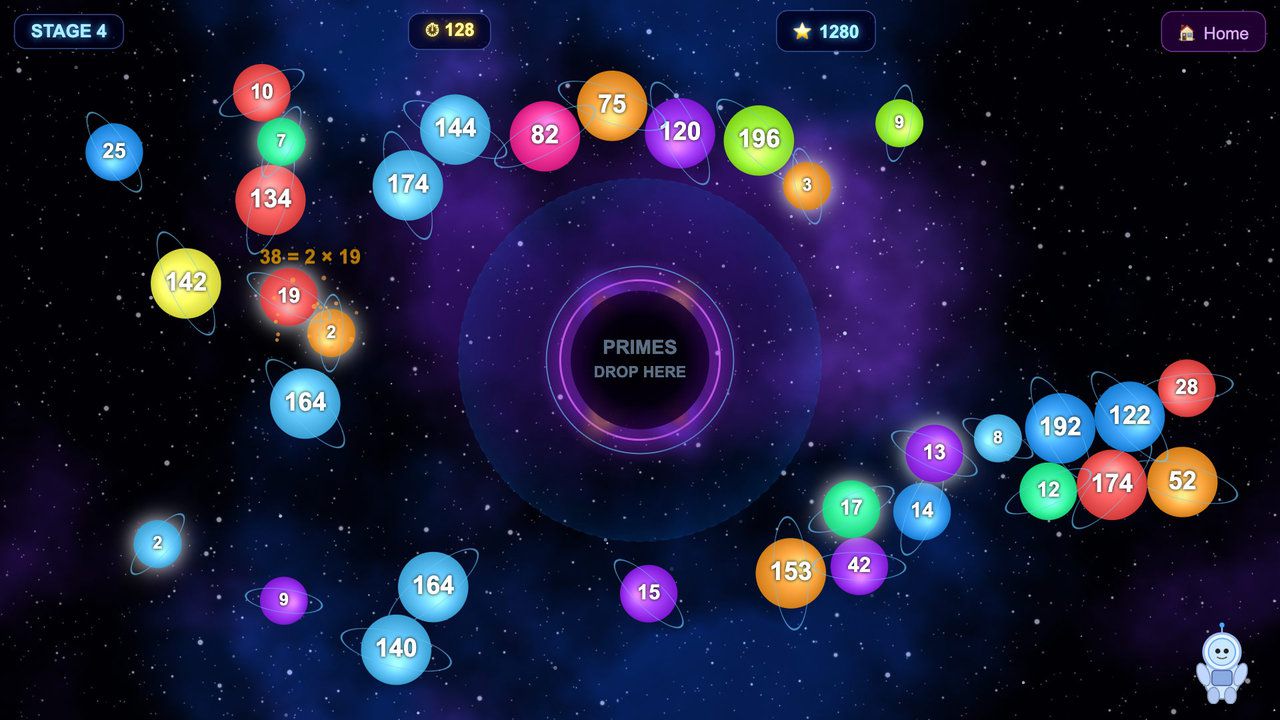
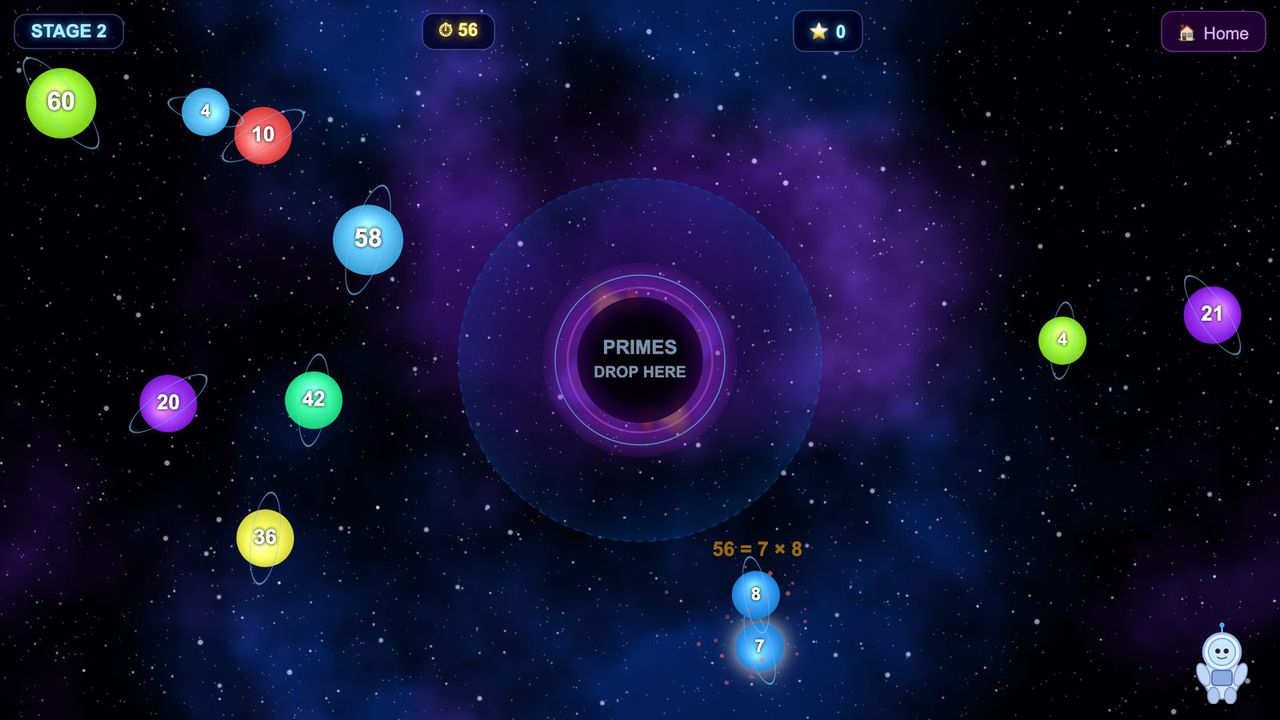
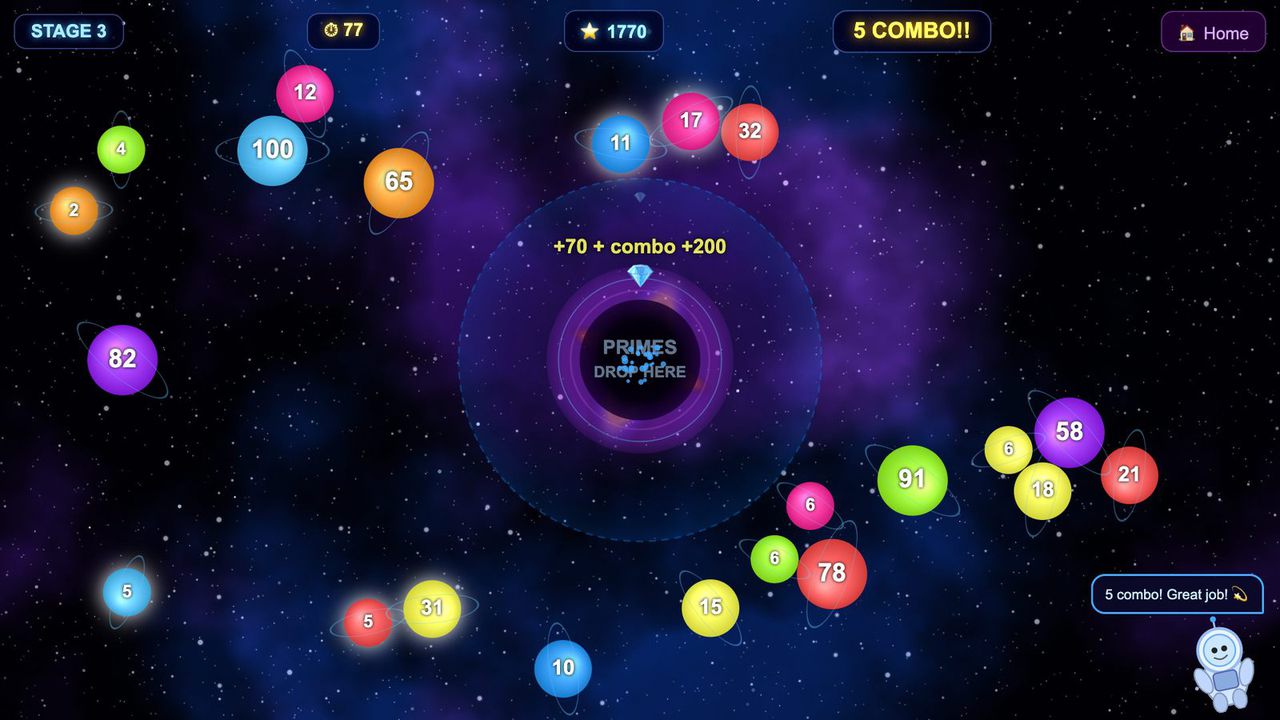
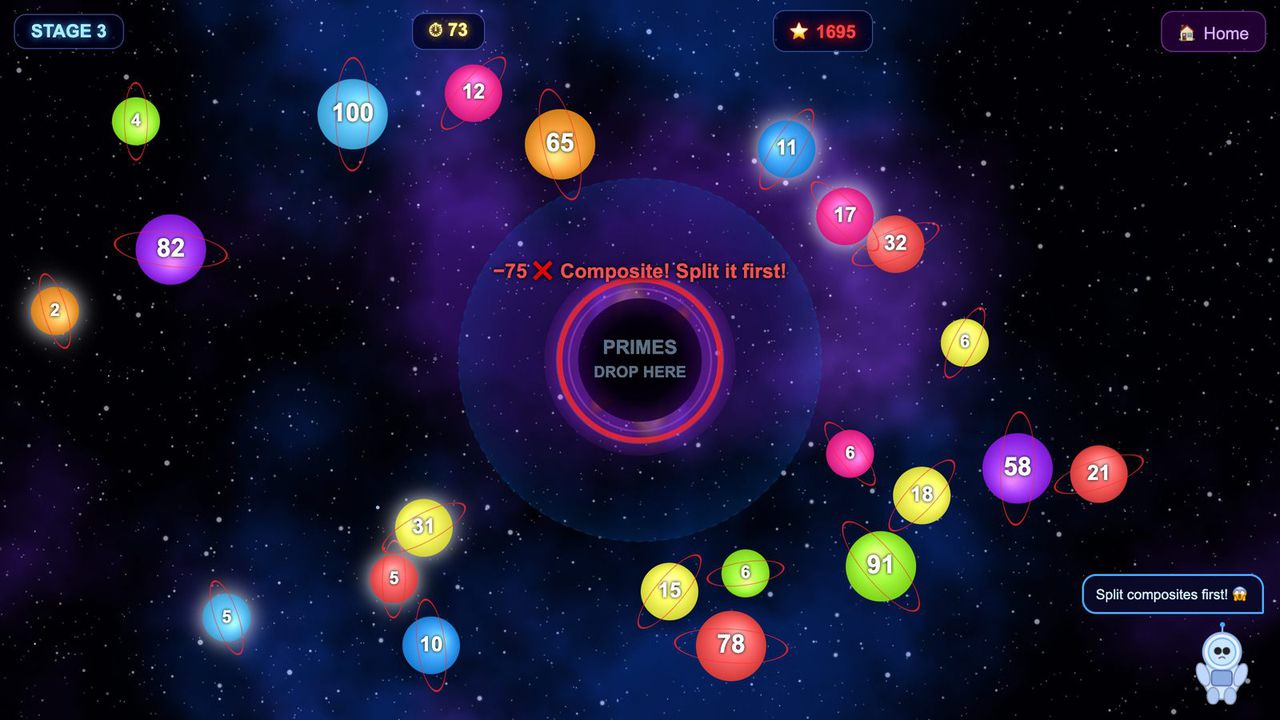
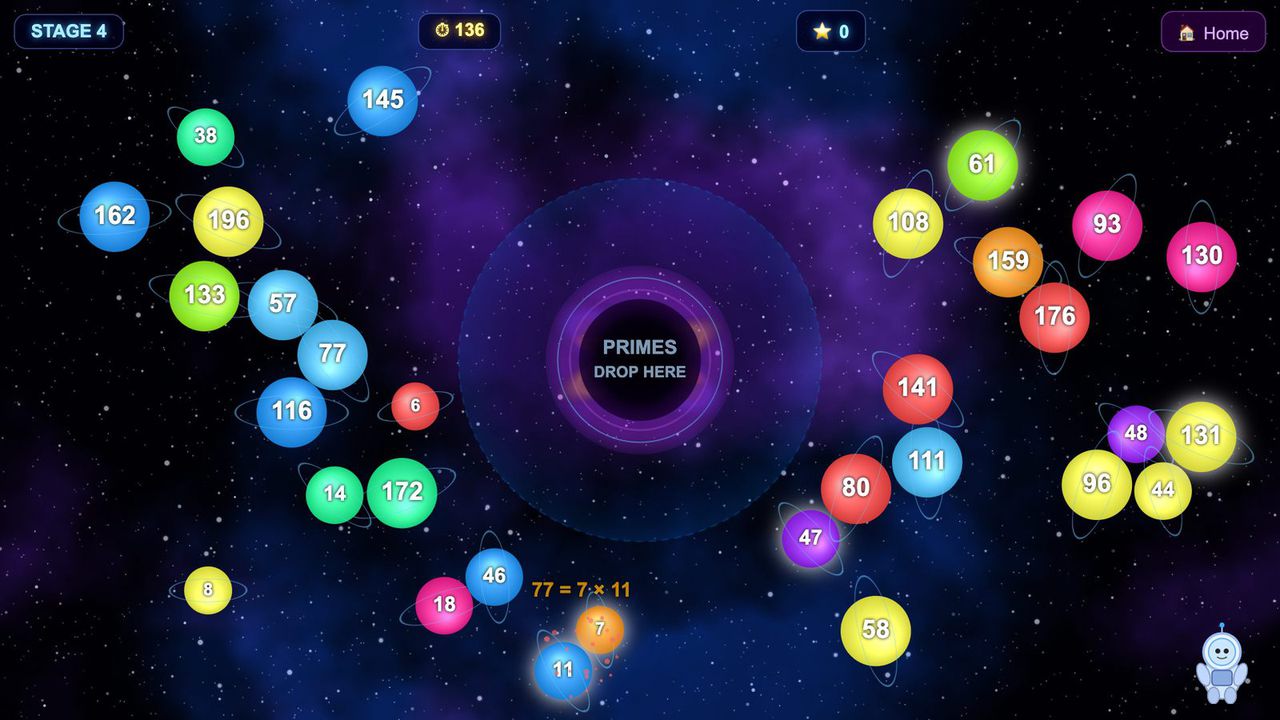
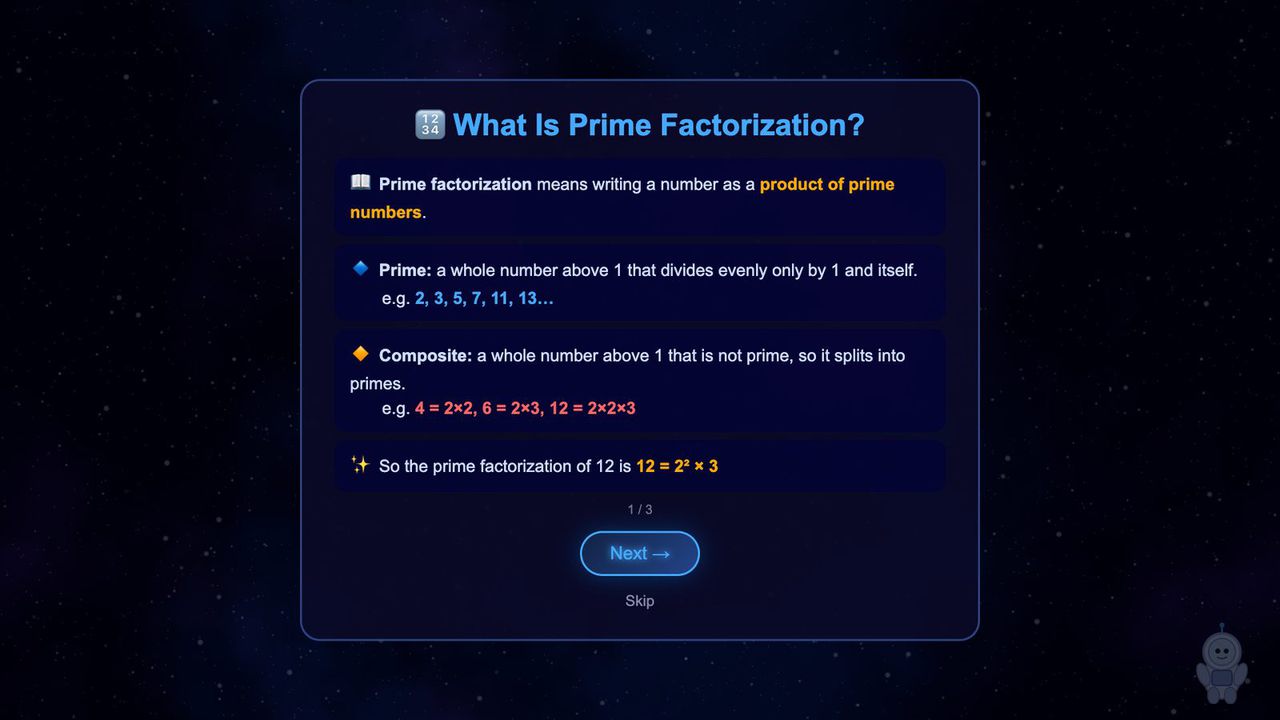
Tap composites to split them, drag the primes into a black hole: prime factorization as a four-stage touch game.
Free · Windows & macOS · 136 KB · Download appears right after the form
In real use
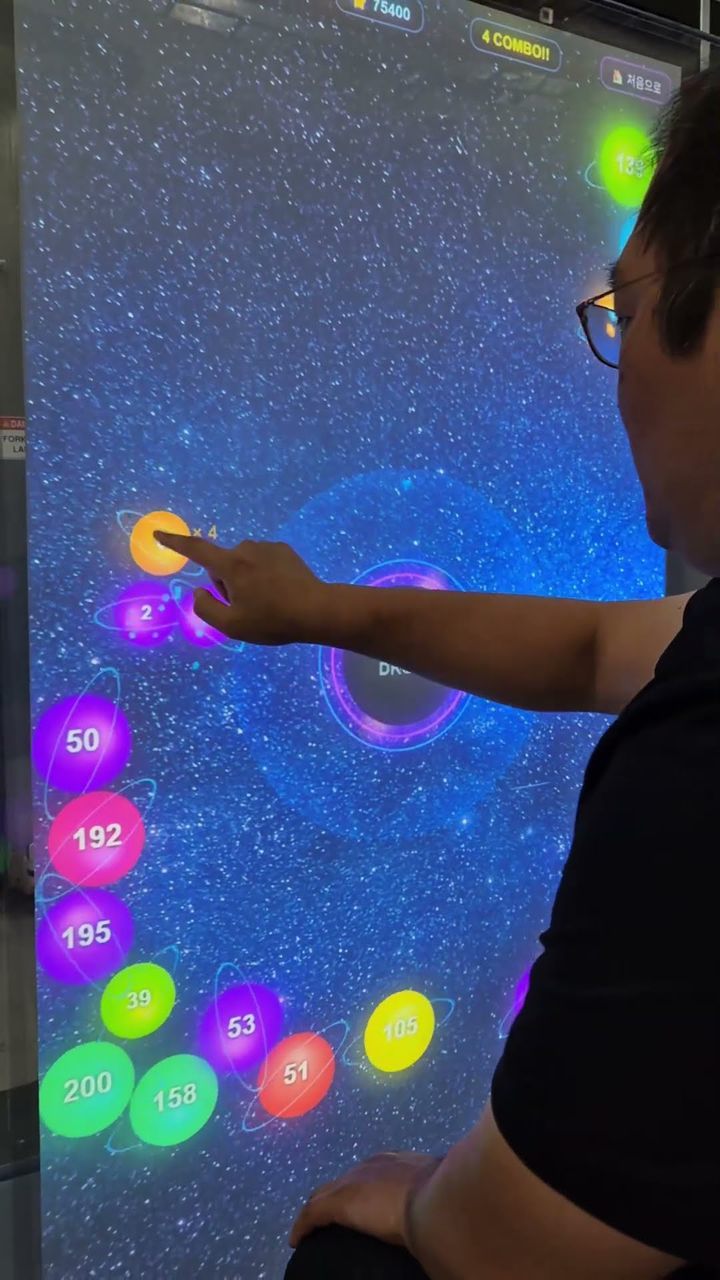
Tapping composites to split them and dragging primes into the black hole on a portrait touch kiosk.
Filmed in Korea on an earlier build, so any on-screen text is in Korean. The evaluation build is in English.
Who it's for
What it does for you
Hardware
Runs on any touch screen your computer sees as a touch device. Looking for hardware? Ask us which MP Series unit fits your space.
Make it yours
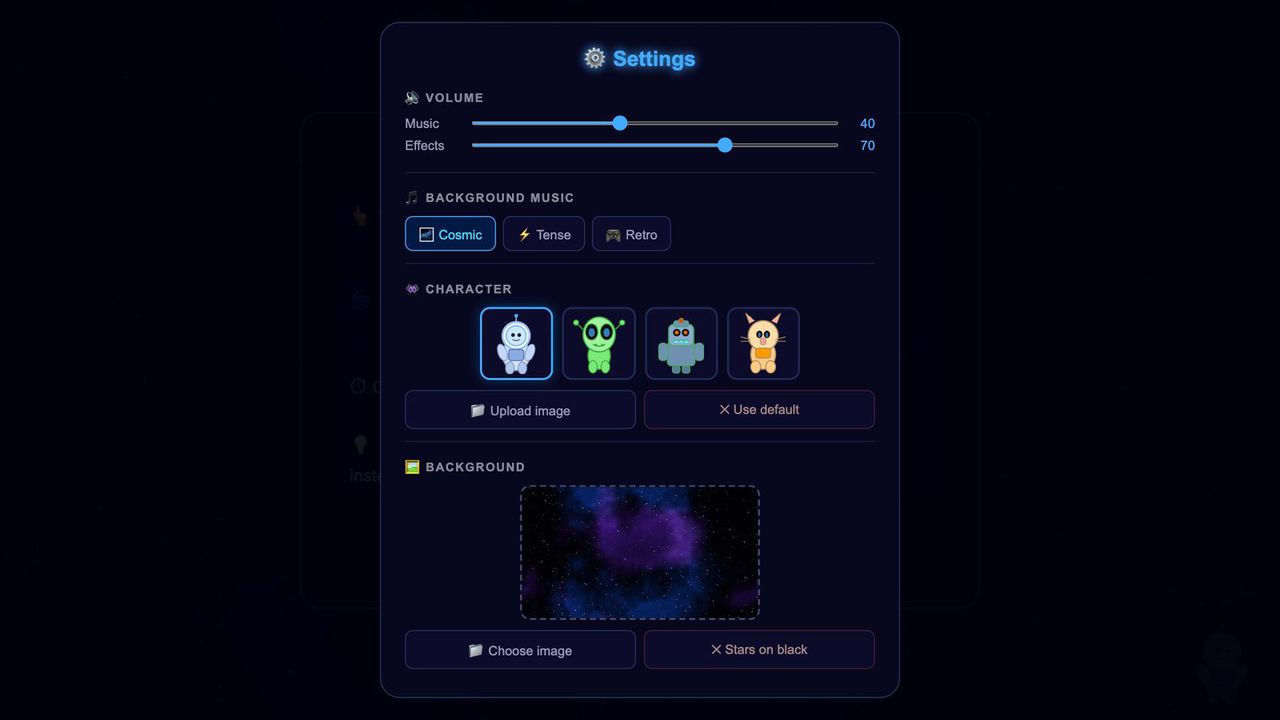
These settings live in customize/config.js inside the download. Edit, save, reload.
| Setting | What it changes | Default |
|---|---|---|
Titletext.title | The big heading on the title screen and the browser tab title. Longer titles shrink to fit. | Black Hole Prime Factors |
Subtitletext.subtitle | The line under the title. | Break every planet down into primes and feed them to the black hole! |
Your logologo.file | Path to a PNG or JPG in the folder (e.g. customize/logo.png), shown top-left on the title screen. Empty = no logo. | empty |
Logo sizelogo.height | Logo height in pixels on a 1920x1080 screen (30 to 300). | 120 |
Stagesstages | The stage list, played in order: planets, seconds, smallest and largest number on a planet for each stage (1 to 8 stages, numbers up to 999). Smaller numbers and more seconds make it easier. | 4 stages: 5 planets/30 s (4-30), 10/60 s (4-60), 20/90 s (6-100), 30/140 s (6-200) |
Planet speedgame.planet_speed | How fast planets drift: 0.5 is half speed, 2 is double (0.2 to 3). | 1 |
Combo timegame.combo_seconds | Seconds a player has to land the next prime and keep a combo going (1 to 20). | 3.5 |
Prime glowgame.prime_glow | Prime planets glow as a hint. Set to false to make players spot primes by the number; the How to Play text changes with it. | true |
Wrong-drop penaltygame.wrong_drop_penalty | Points lost for dropping a composite in the black hole: its number times this value (0 = no penalty, up to 50). | 5 |
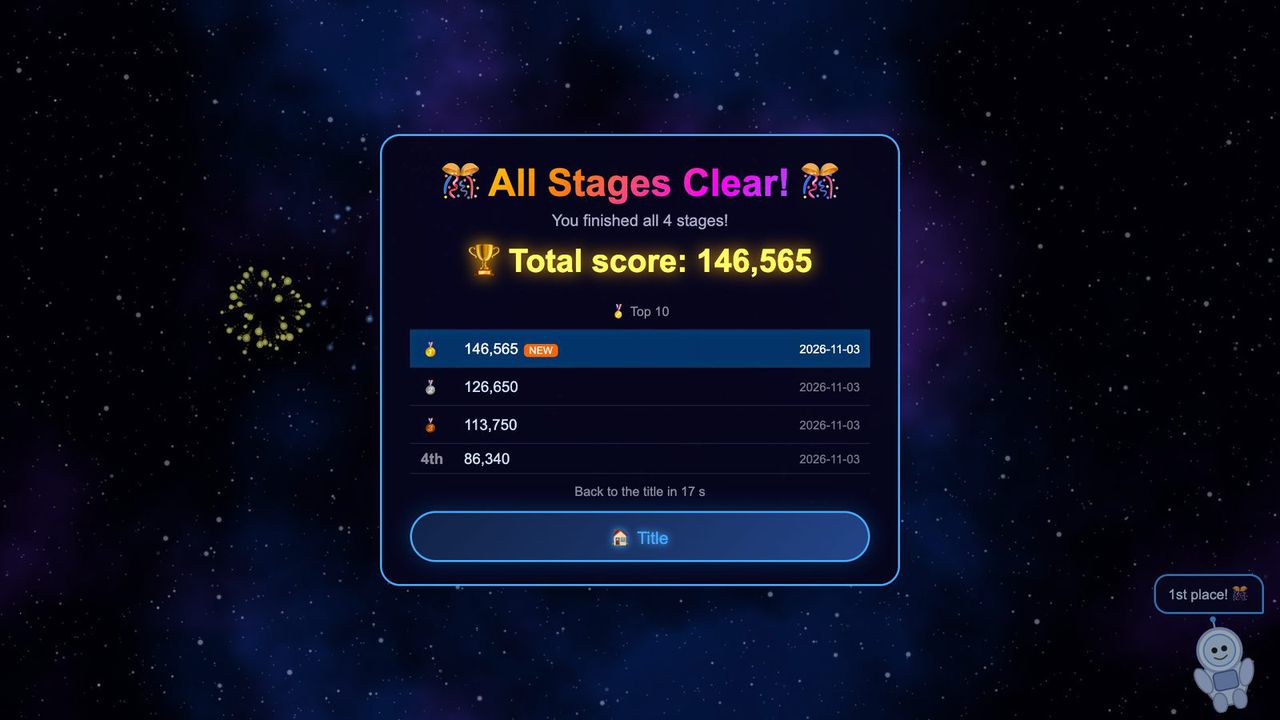
Result timetiming.result_seconds | Clear, time's-up and all-clear screens go back to the title after this many seconds (5 to 300). A touch keeps a clear or time's-up screen up. | 20 |
Idle returntiming.idle_return_seconds | Any other screen left untouched goes back to the title after this many seconds (0 = never, up to 600). | 60 |
Top scores listedleaderboard.size | How many top scores the all-clear screen keeps and lists (3 to 20). | 10 |
Music volumesound.music_volume | Background music, 0 to 100. Also adjustable in the Esc panel. | 40 |
Effects volumesound.effects_volume | Split, drop and reject sounds, 0 to 100. Also adjustable in the Esc panel. | 70 |
Music tracksound.music_track | cosmic, tense or retro. Each has one melody for menus and another for play. Also in the Esc panel. | cosmic |
Characterscreen.character | The helper in the corner: astronaut, alien, robot or cat. The Esc panel can also upload your own image. | astronaut |
Backgroundscreen.background | Image behind everything, path relative to index.html. Empty = animated stars on black. The default is a nebula image included in the download. | assets/nebula.jpg |
Your logo and colors, another language, your own questions or content, or a new piece on the same idea.
Specs
be6ab8106c5e84f460052eb969cdf12f199485a6b78f9f206769c61fbcefa7dfRelated pieces
Floor · Foot sensor, Touch, Mouse
Kids and grown-ups each solve their own equation on the floor, and answering together earns a combo bonus — about a minute per game.
Free evaluation buildEnglish
Screen · Touch, Mouse
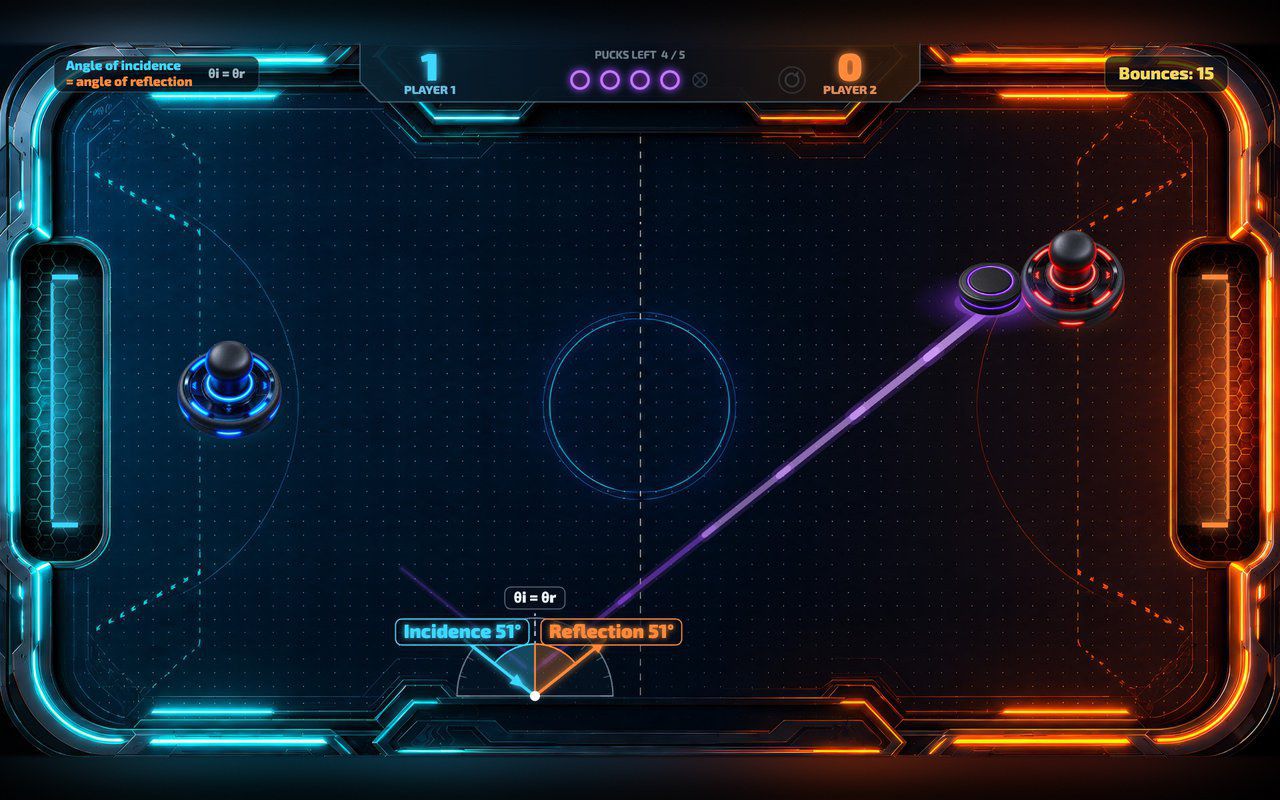
Two players push a glowing puck, or one plays the computer, and every wall bounce shows the two equal angles.
Free evaluation buildEnglishReal use
Floor · Foot sensor, Touch, Mouse
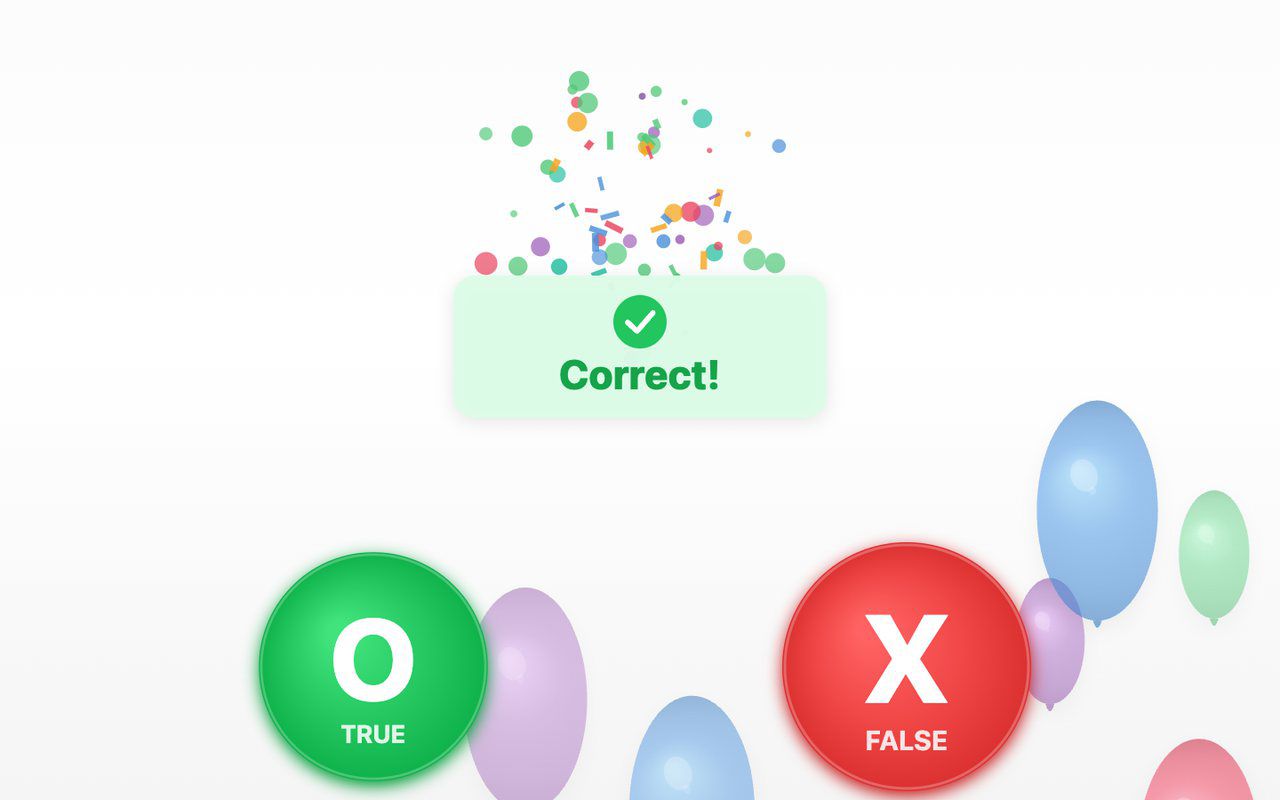
A true-or-false quiz on the floor: a balloon carries each statement, visitors step on O (true) or X (false), and a short explanation appears after a wrong answer.
Free evaluation buildEnglish